Changelog Subpage
Product updates will be updated here
Share specific prototype screens
With InVision V7, you can share one or more specific prototype screens. This is especially helpful when needing to discuss or review only a certain subset of screens that belong to a larger prototype.Sharing screens
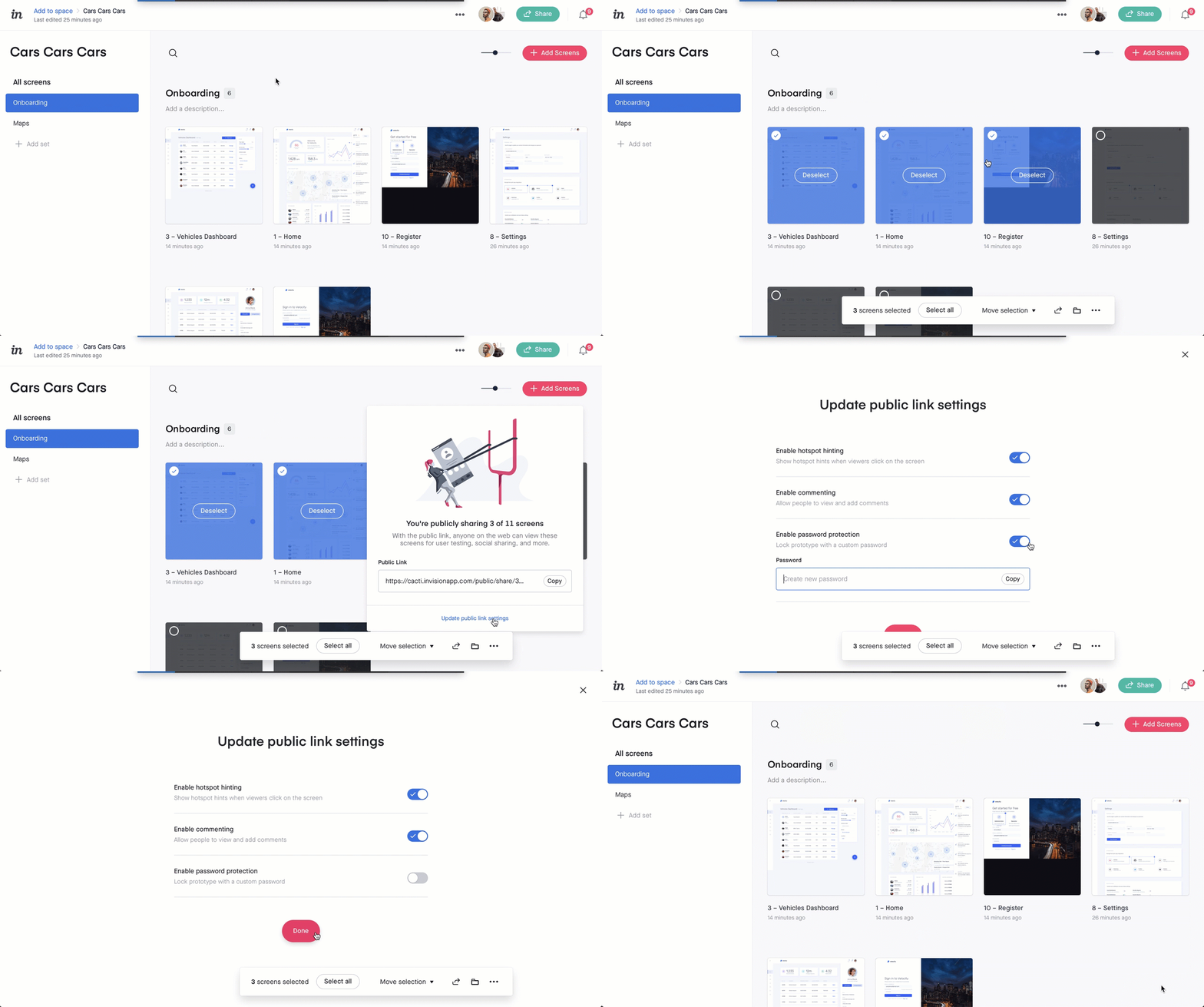
To share specific screens:
- Open your prototype to the screens overview page.
- Hover over a screen and click the selection icon in the top-left corner.
- Note: After selecting a screen, you'll notice other screens are now selectable and there's a toolbar at the bottom of the canvas.
- Select any other screens you want to share.
- In the toolbar at the bottom of the canvas, click the share icon ().
- Click Update public link settings, toggle the preferred settings on or off, and click Done.
- Click Copy.